Screenshot generator for iPad
The 13-inch size Apple requires, plus the 11-inch size, portrait and landscape. Free export, no watermark.
Drop up to 10 screenshots here
PNG, JPEG or WebP. Your files stay in this browser.
Style
Targets
Layout
Each size adapts automatically. Untick the box above to set a layout for the current size only.
Text
About your app (for AI headlines)
One credit covers a set of up to 10 slides.
Headlines, translation and AI backgrounds are not switched on yet. The editor and every export work now, and nothing here costs credits.
Something went wrong.
Background
Uses your two colours. Abstract only: no devices, people, logos or text.
Frame
Generic frames are plain rounded slabs. Google Play presets default to no frame.
Only use bezel files you're licensed to use. Apple's bezels are licensed to Apple Developer Program members for marketing their own apps. Your file stays in your browser.
Languages
One credit per language. Each language exports into its own folder. Language list not verified against Apple's page.
Export
Your project autosaves in this browser.
Add a screenshot to export. PNG without transparency, as both stores require.
iPad screenshot sizes
The generator has presets for the required 13-inch display and the 11-inch display. Both exports are PNG or JPEG without an alpha channel, as Apple requires.
| Display | Portrait | Landscape | Note |
|---|---|---|---|
| iPad 13″ | 2064 × 2752 2048 × 2732 | 2752 × 2064 2732 × 2048 | Required if your app runs on iPad |
| iPad 11″ | 1668 × 2388 | 2388 × 1668 | Optional; one of four sizes Apple accepts |
Verified on 17 Oct 2026 · Source: Apple, Screenshot specifications. Full tables: App Store screenshot sizes.
Example: portrait and landscape iPad
The same project exported at 2064 × 2752 and 2752 × 2064. Landscape switches to the two-column layout on its own.
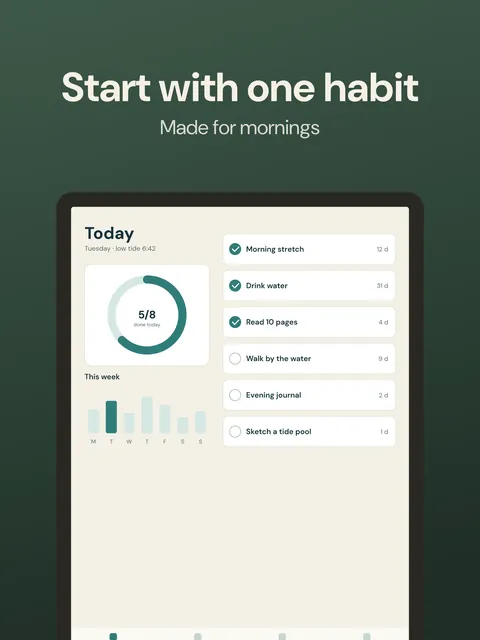 iPad 13″ portrait · Caption top
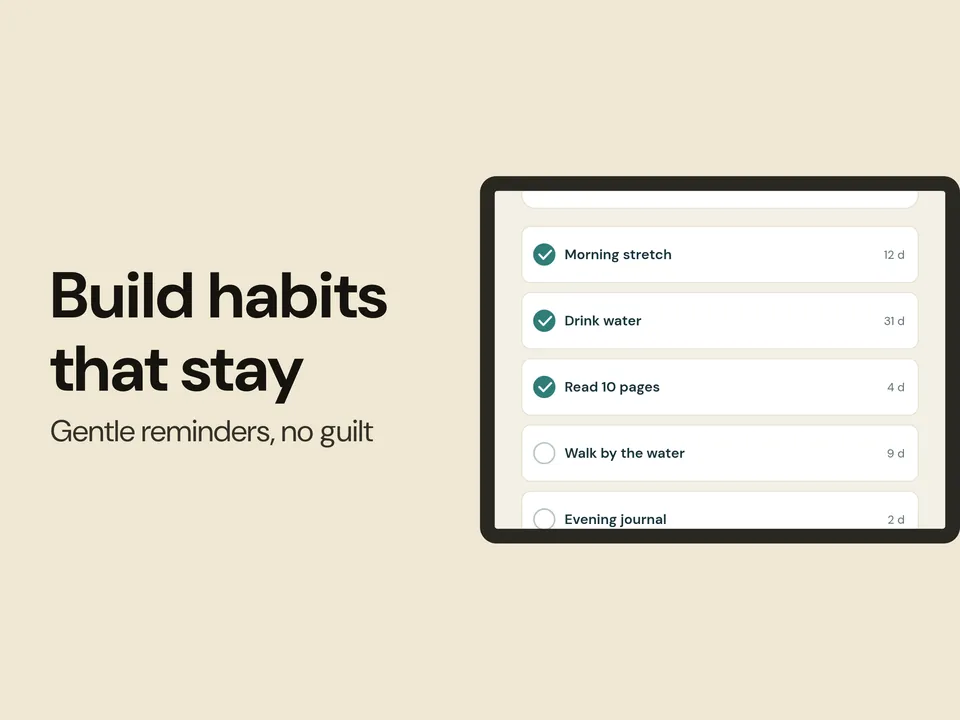 iPad 13″ landscape · Two-column
iPad models and sizes in Apple's list
| Display | Models Apple lists | Accepted sizes (portrait) |
|---|---|---|
| 13″ | iPad Pro (M5, M4), iPad Pro (6th, 5th, 4th, 3rd, 1st gen), iPad Air (M4, M3, M2) | 2064 × 2752 2048 × 2732 |
| 12.9″ | iPad Pro (2nd gen) | 2048 × 2732 |
| 11″ | iPad Pro (M5, M4; 4th–1st gen), iPad Air (M4, M3, M2; 5th, 4th gen), iPad (A16), iPad (10th gen), iPad mini (A17 Pro), iPad mini (6th gen) | 1488 × 2266 1668 × 2420 1668 × 2388 1640 × 2360 |
Verified on 17 Oct 2026 · Source: Apple, Screenshot specifications. The generator has presets for 2064 × 2752, 2048 × 2732 and 1668 × 2388; older 10.5″ and 9.7″ sizes are in the size guide.
How to make iPad screenshots
Capture at iPad size
Take screenshots in the iPad simulator or on a device. Landscape layouts often show more of the interface.
Choose a layout
Caption top, caption bottom and the two-column layout all work for iPad. The two-column layout puts the headline beside the device on landscape sizes.
Export a ZIP
Files are sorted into folders such as app-store/ipad-13-portrait/01.png. Upload 1 to 10 per size in App Store Connect.
Questions
Which iPad screenshot size is required?
If your app runs on iPad, Apple requires at least one screenshot for the iPad 13-inch display: 2064 × 2752 or 2048 × 2732 in portrait, and the swapped numbers in landscape. Source: Apple, verified 17 Oct 2026.
Do I need 11-inch screenshots too?
Not for the required set. Apple says that if your UI is the same across display sizes, you can provide only the highest required resolution and App Store Connect scales it down. Provide 11-inch screenshots (for example 1668 × 2388) when you want a layout made for that display.
What is the difference between 2064 × 2752 and 2048 × 2732?
Apple lists both as accepted for the 13-inch display. 2064 × 2752 is the native size of the newer iPad models in Apple's list; 2048 × 2732 is the older 12.9-inch size. Pick one; you do not need both.
Can I make landscape iPad screenshots?
Yes. Switch the orientation under the preview. Apple accepts the landscape swap of every portrait size. On landscape canvases every layout except Full bleed becomes the two-column layout, with the headline beside the device.
Can I use iPhone screenshots on the iPad sizes?
You can, but the app screenshot is cropped to fill the iPad frame, which is much wider than a phone screen, so a lot of a phone capture is cut off. Capture from the iPad simulator or an iPad for these sizes.
Which iPad models does the 13-inch size cover?
Apple lists iPad Pro (M5, M4), iPad Pro (6th, 5th, 4th, 3rd and 1st generation) and iPad Air (M4, M3, M2) under the 13-inch display.
Is it really free?
Yes. The editor and every export (all sizes, PNG or JPEG, one ZIP) are free, with no watermark and no sign-in. Only the optional AI features use credits, and you sign in with Google to use them.