App Store screenshot generator
Free export of every size, including iPhone Duo, iPad and Google Play. No watermark, no sign-up.
Drop up to 10 screenshots here
PNG, JPEG or WebP. Your files stay in this browser.
Style
Targets
Layout
Each size adapts automatically. Untick the box above to set a layout for the current size only.
Text
About your app (for AI headlines)
One credit covers a set of up to 10 slides.
Headlines, translation and AI backgrounds are not switched on yet. The editor and every export work now, and nothing here costs credits.
Something went wrong.
Background
Uses your two colours. Abstract only: no devices, people, logos or text.
Frame
Generic frames are plain rounded slabs. Google Play presets default to no frame.
Only use bezel files you're licensed to use. Apple's bezels are licensed to Apple Developer Program members for marketing their own apps. Your file stays in your browser.
Languages
One credit per language. Each language exports into its own folder. Language list not verified against Apple's page.
Export
Your project autosaves in this browser.
Add a screenshot to export. PNG without transparency, as both stores require.
Example output
Four looks from the same four slides. Each file is laid out at its own size, so the iPad landscape version gets a two-column layout instead of a stretched phone design.
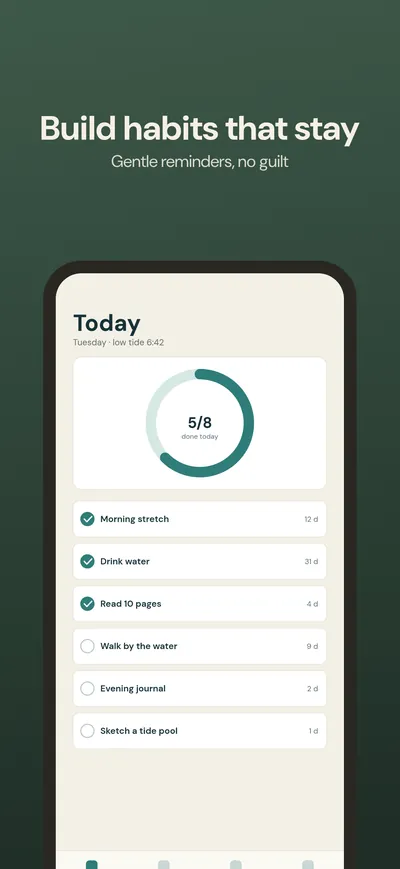 iPhone 6.9″ · Caption top
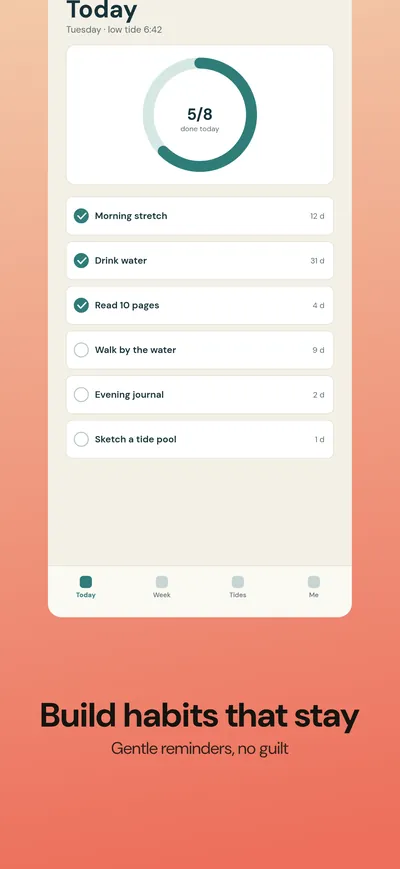 iPhone 6.9″ · Caption bottom
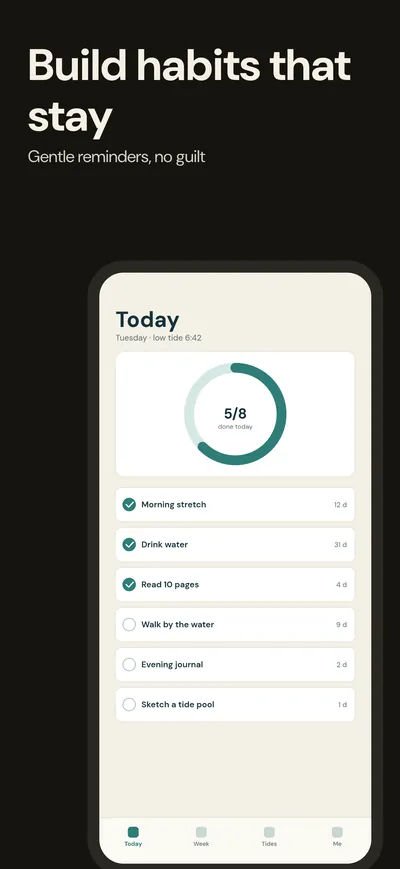 iPhone 6.9″ · Big number
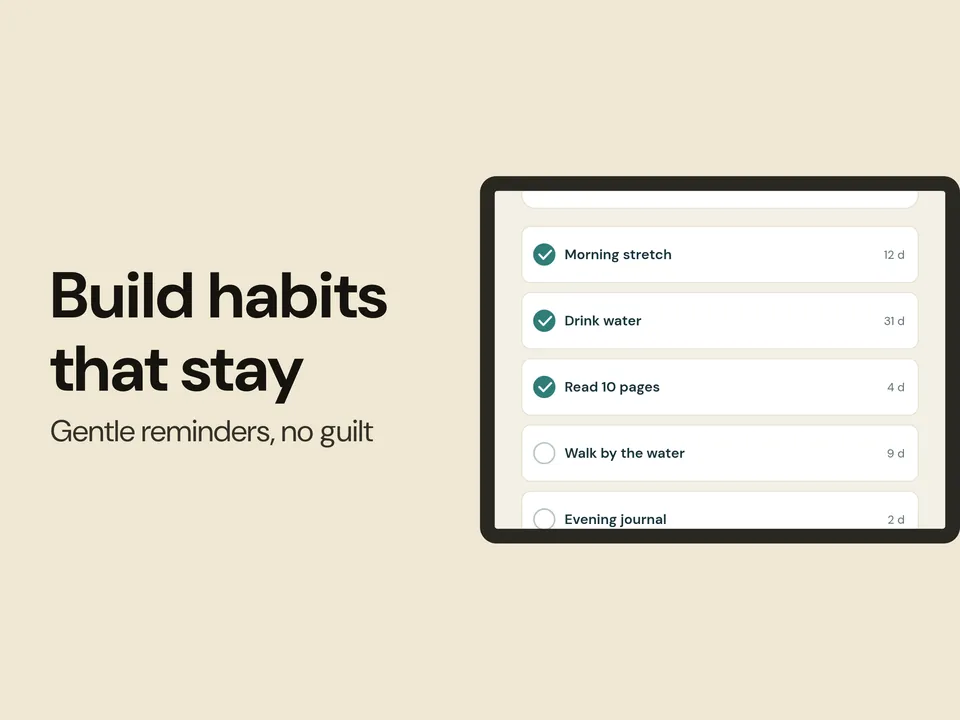 iPad 13″ landscape · Two-column
How it works
Upload screenshots
Drop up to 10 raw screenshots from your simulator or device. They stay in your browser.
Pick sizes and style
Tick the store sizes you need, choose one of eight layouts, then add a headline, a background and an optional generic frame.
Export a ZIP
One click gives you every size as PNG or JPEG, sorted into folders, without transparency.
Every size, from the official specs
The presets are copied from Apple's and Google's own pages. Sizes are portrait; landscape swaps width and height.
| Preset | Size in pixels | Where it is used |
|---|---|---|
| iPhone Duo inner display | 2007 × 2853 · 2853 × 2007 | Apple, iPhone Duo |
| iPhone Duo outer display | 1398 × 2034 · 2034 × 1398 | Apple, iPhone Duo |
| iPhone 6.9″ | 1320 × 2868 · 1290 × 2796 | Apple, Dynamic Island large display |
| iPhone required size | 1206 × 2622 · 1179 × 2556 | Apple, Dynamic Island medium display |
| iPhone 6.5″ | 1284 × 2778 | Apple, Face ID large display |
| iPad 13″ | 2064 × 2752 · 2048 × 2732 | Apple, required if your app runs on iPad |
| iPad 11″ | 1668 × 2388 | Apple, iPad 11-inch display |
| Google Play phone | 1080 × 1920 · 1440 × 2560 | Google Play, 9:16 |
| Google Play tablet | 1440 × 2560 · 2560 × 1440 | Google Play, 9:16 and 16:9 |
| Feature graphic | 1024 × 500 | Google Play |
Verified on 17 Oct 2026 · Sources: Apple, Google. See every size in the App Store screenshot sizes guide and the Google Play screenshot size guide.
Ready for iPhone Duo
According to Apple Developer News, iPhone Duo goes on sale on October 23, 2026. Apple's screenshot specifications say: “Starting in April 2027, screenshots will be required for any app using the iOS 27.1 SDK or later.”
iPhone Duo has an outer and an inner display, each with its own pixel size, so you need a set for each. The generator has presets for both, portrait and landscape.
AI that writes and translates
Optional. Everything else stays free. AI uses credits, and you sign in with Google to use them.
Headlines from your screenshots
Reads your screenshots and drafts a headline and subline for each slide.
1credit per set of up to 10 slidesTranslation
Translates your captions into another language, ready for that locale's folder. How localized screenshots work.
1credit per languageAI backgrounds
Abstract backgrounds in your brand colours. No devices, people or text.
2credits each
New Google accounts get 5 free credits.
Pricing
Free
The editor and every export. No watermark, no sign-in.
$0100 credits
One-time. Credits don't expire.
$9400 credits
One-time. Credits don't expire.
$29Questions
Is it really free?
Yes. The editor and every export (all sizes, PNG or JPEG, one ZIP) are free, with no watermark and no sign-in. Only the optional AI features use credits, and you sign in with Google to use them.
Which sizes does Apple require?
For iPhone, at least one screenshot for iPhone with Dynamic Island (medium display): 1206 × 2622 or 1179 × 2556. For iPad, if your app runs on iPad, the 13-inch display: 2064 × 2752 or 2048 × 2732. Apple scales down for smaller sizes if your UI is the same. See the full App Store screenshot sizes guide.
Which sizes does Google Play need?
At least 2 screenshots, JPEG or 24-bit PNG without alpha, between 320 and 3840 px, with the long side at most twice the short side. Google recommends 4 or more at 1080 px minimum for 9:16 or 16:9. See the Google Play screenshot size guide.
Do my screenshots get uploaded?
No. The editor runs in your browser and your projects stay in this browser. Only the optional AI features send a downscaled copy of your screenshots (or your text) through our server to an AI provider, and nothing is stored. See the privacy page.
Can I use device frames?
Yes. Hueflo Screenshots includes plain generic frames that we drew ourselves, or no frame at all. If you hold a licence for a manufacturer bezel file, the Advanced option lets you load it; the file stays in your browser and is used as is.
Do credits expire?
No. Packs are one-time purchases and credits do not expire. New Google accounts get 5 free credits once.